Note
You're reading the documentation for a development version. For the latest released version, please have a look at Lyrical.
Building a package with Eclipse 2021-06 - tutorial
ROS packages are created with command-line tools, but Eclipse can edit source code and run colcon builds. This article shows how to import an existing package into Eclipse 2021-06, configure include paths, and add a colcon builder. After following these steps, you can resolve ROS includes and build the package from Eclipse.
Summary
Create the ROS package with command-line tools before opening it in Eclipse. In Eclipse 2021-06, create a C++ project and import the existing package from the file system.
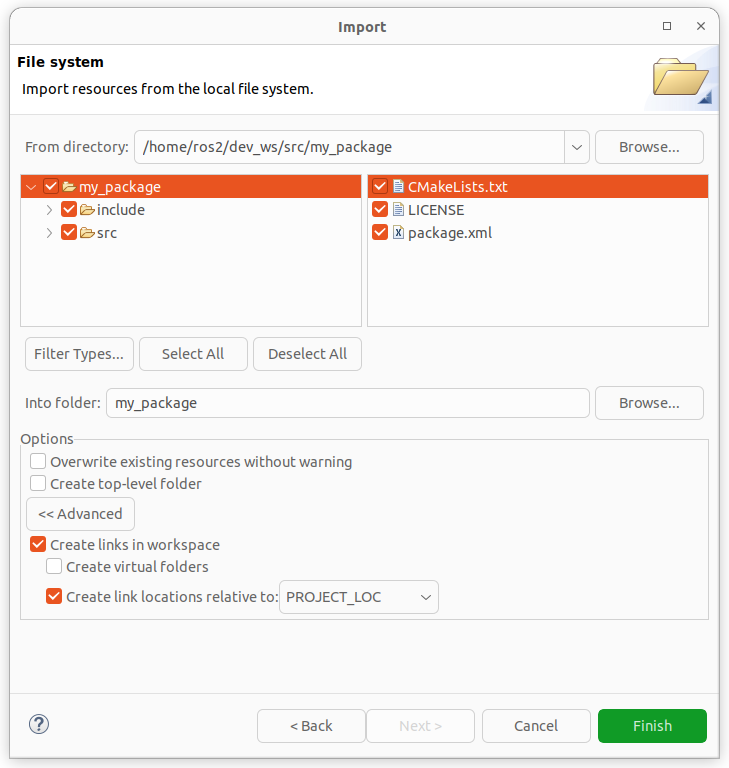
Select Create links in workspace when importing, so source code stays in its original location.
Add required include paths such as
/opt/ros/rolling/include/rclcppand/opt/ros/rolling/include/std_msgs.Add a
colconbuilder to use Build Project from the project context menu.
For Python packages, configure PYTHONPATH in the builder environment.
You cannot create a ROS 2 package with eclipse, you need to create it with commandline tools. Follow the Create a package tutorial.
After you created your project, you can edit the source code and build it with eclipse.
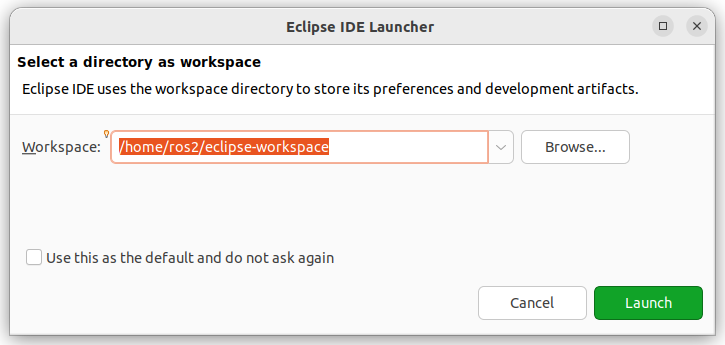
We start eclipse and select a eclipse-workspace.
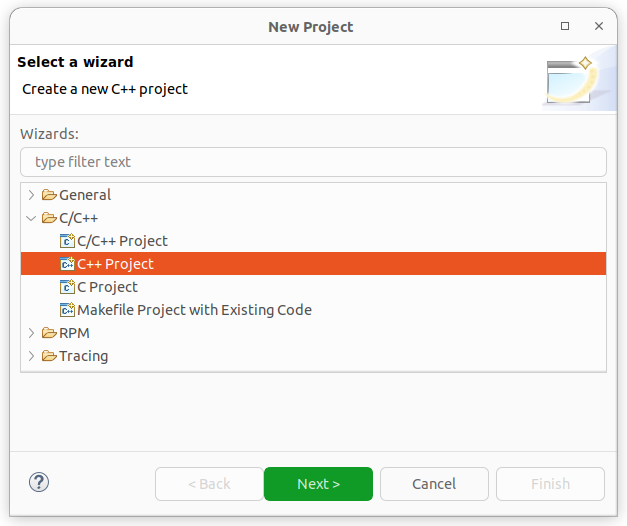
We create a C++ project

We see that we got C++ includes.
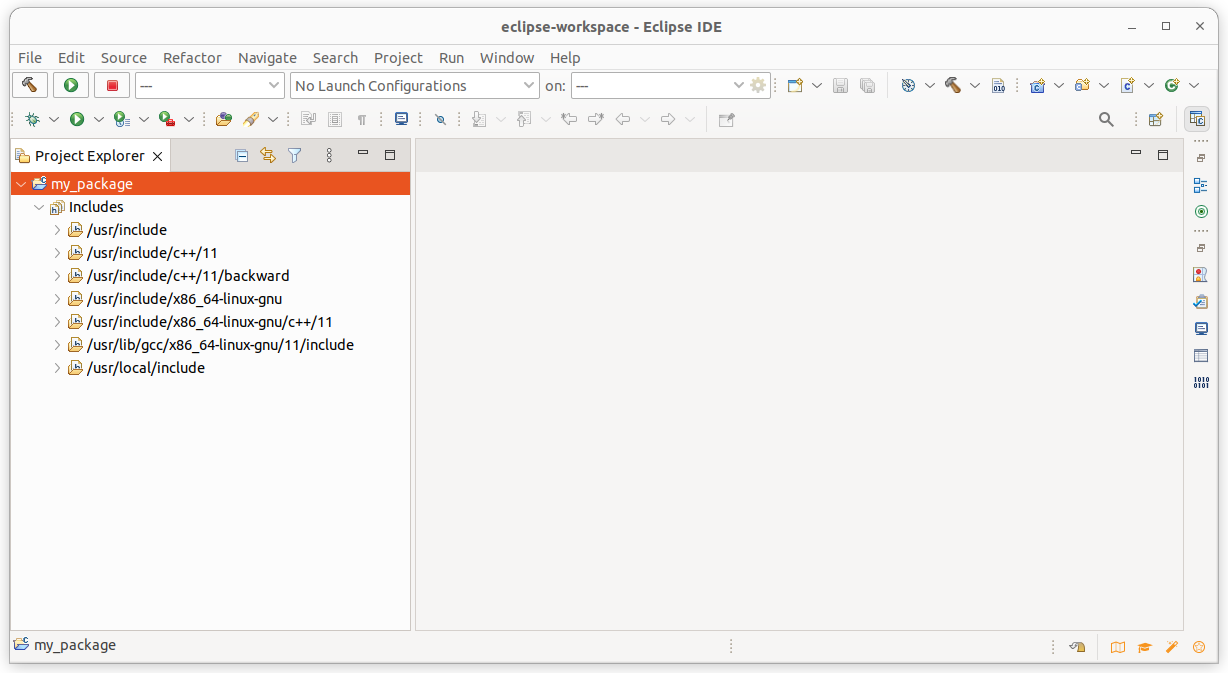
We now import our ROS 2 project. The code is still in the old place.
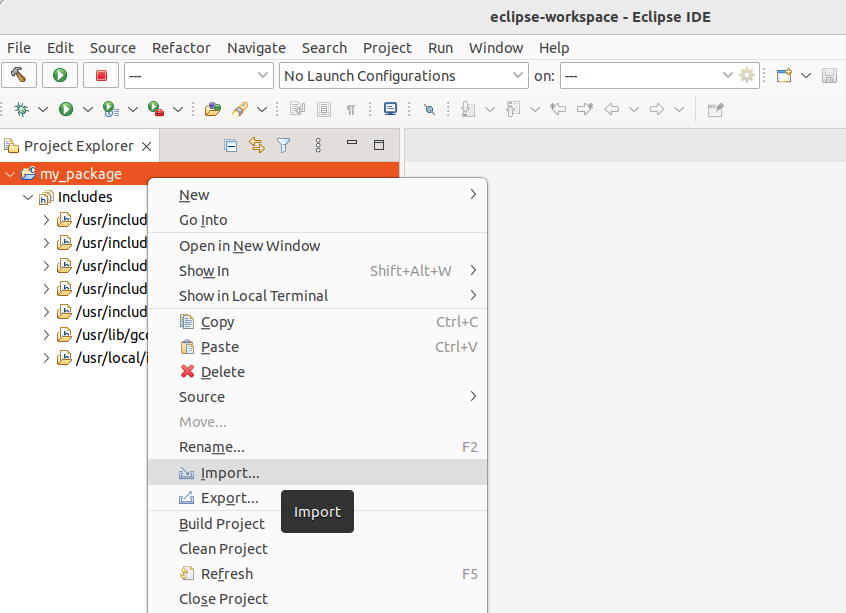
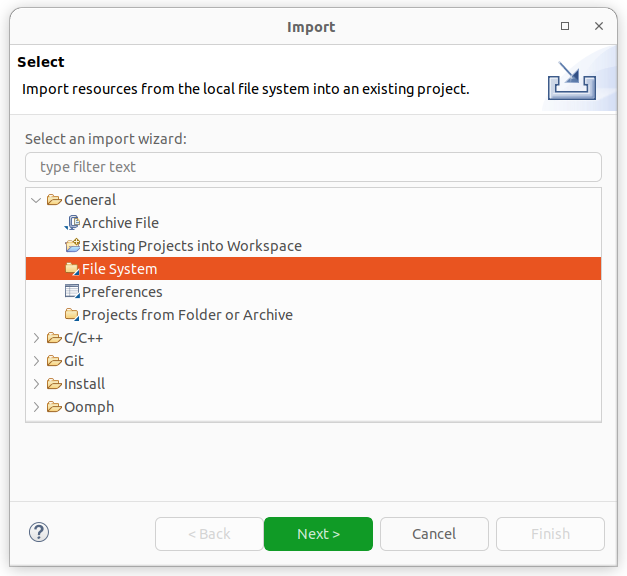
Click the Advanced in the Options and check the Create links in worksapce.
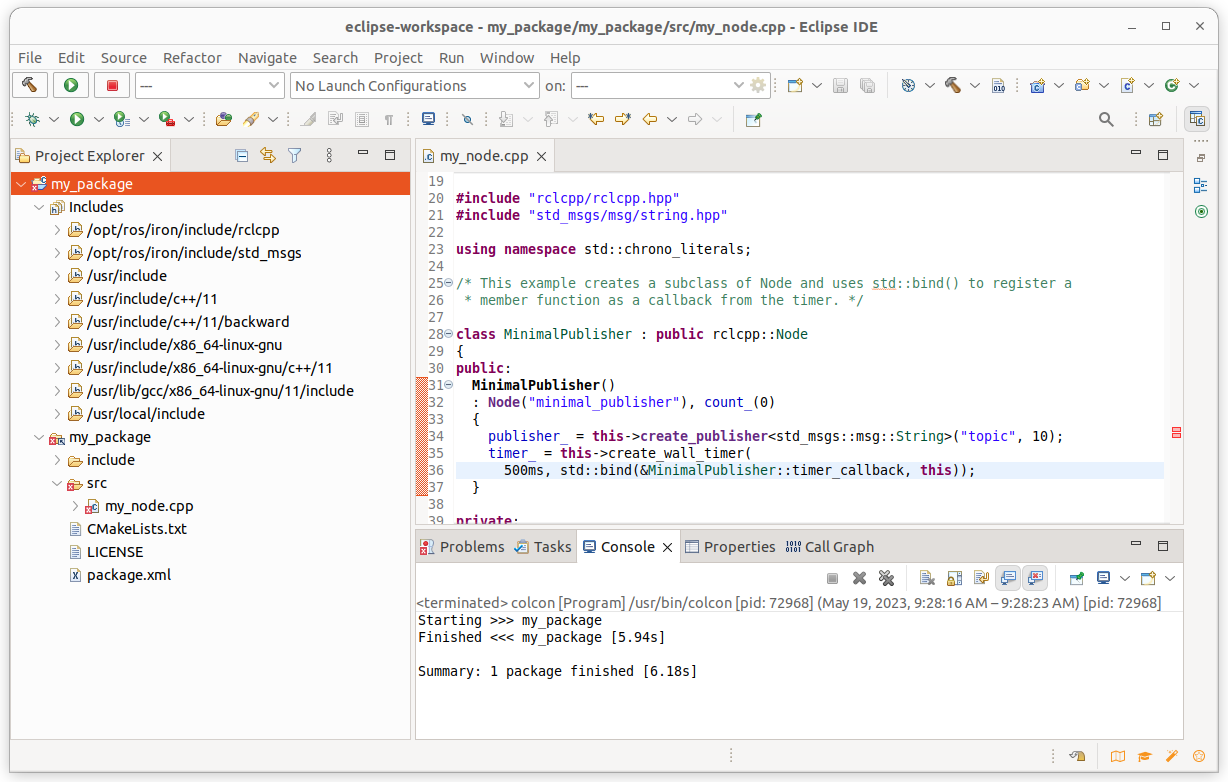
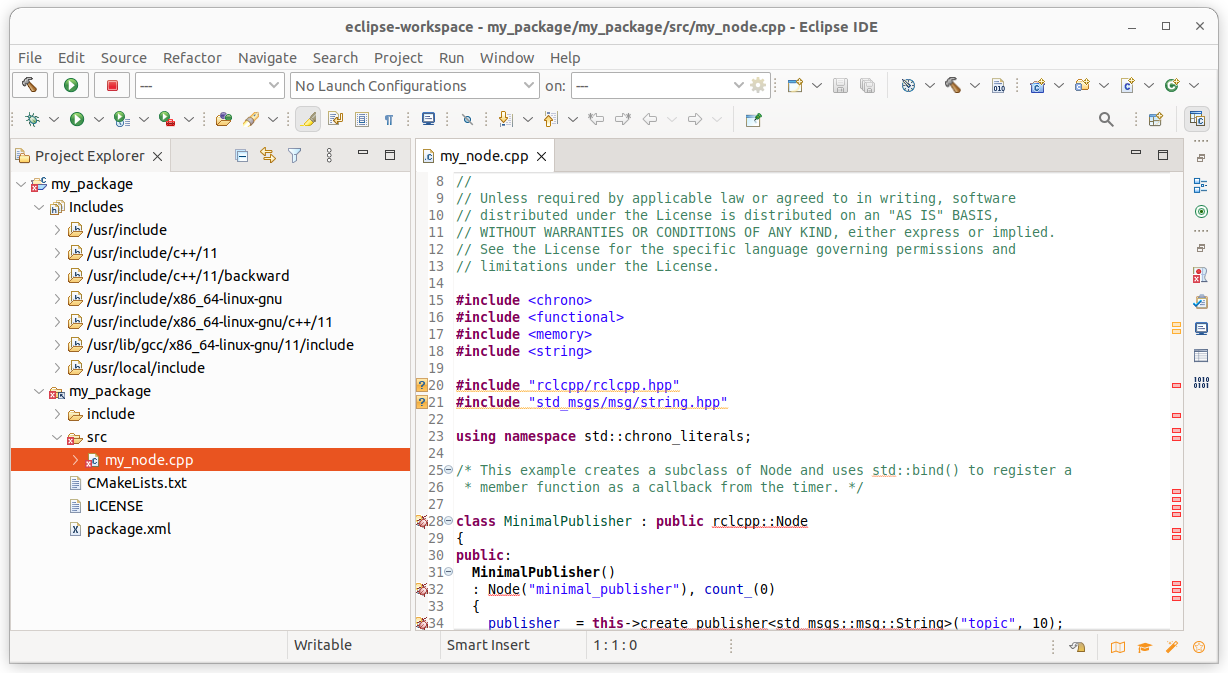
We see in the source code that the C++ includes got resolved but not the ROS 2 ones.
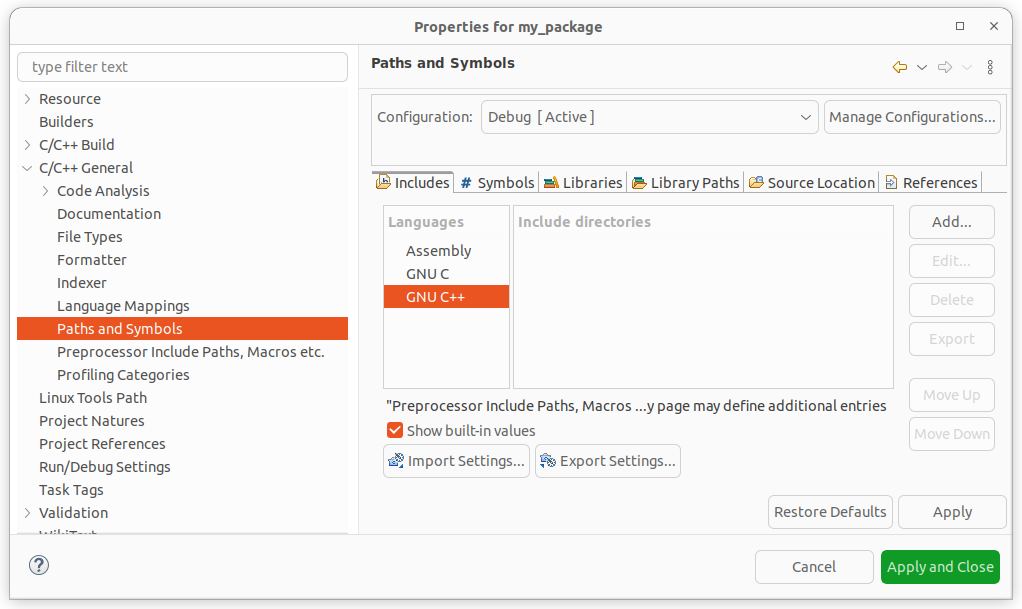
Add include paths of needed packages. (e.g. /opt/ros/lyrical/include/rclcpp, /opt/ros/lyrical/include/std_msgs, etc.)
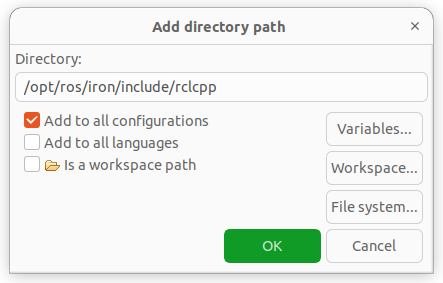
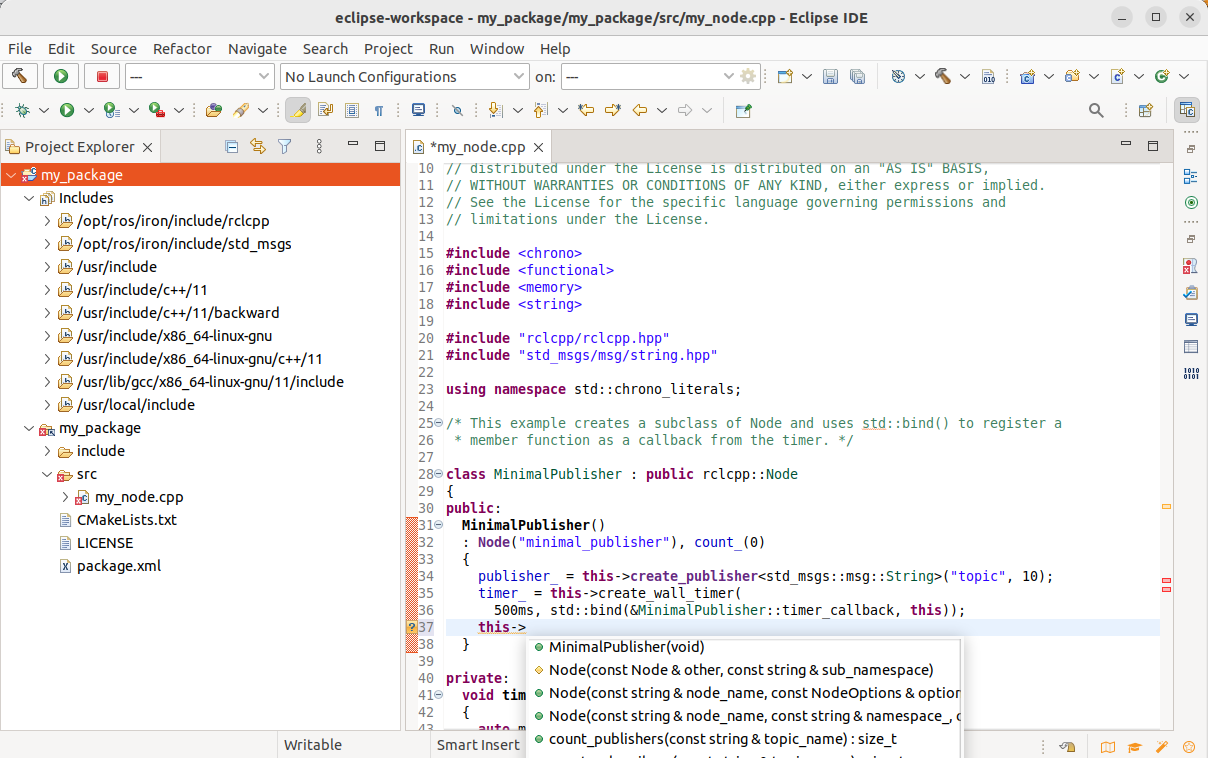
We now see that the ROS 2 includes got resolved too.
Adding Builder colcon, so that we can build with right-click on project and “Build project”.
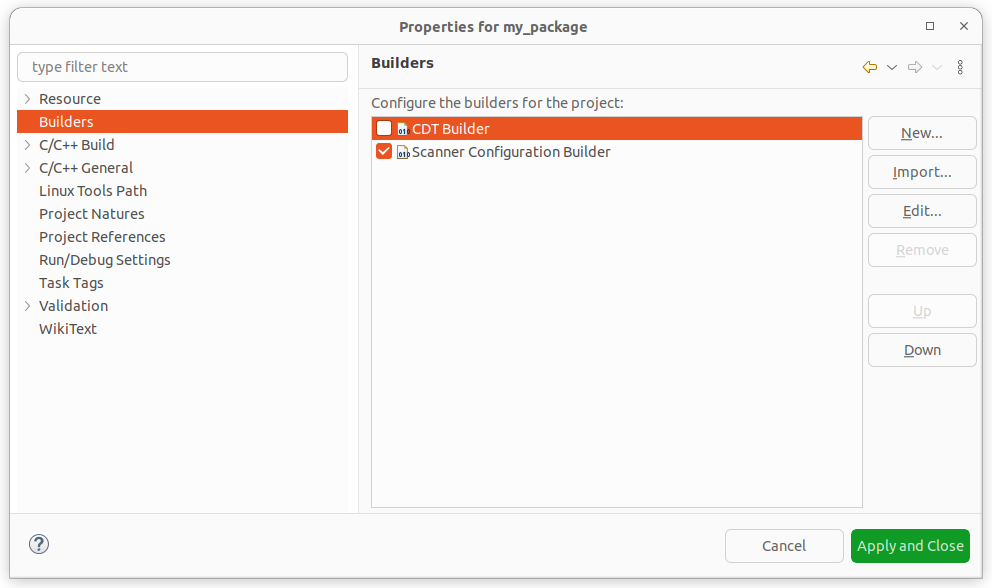
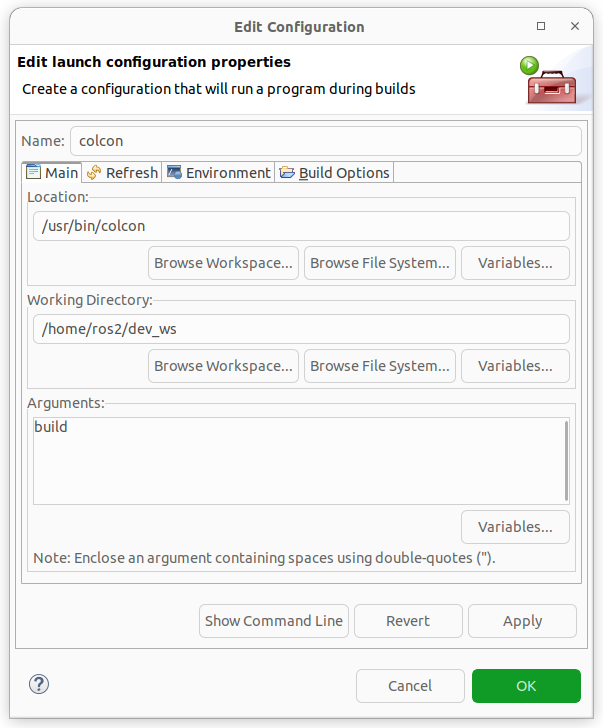
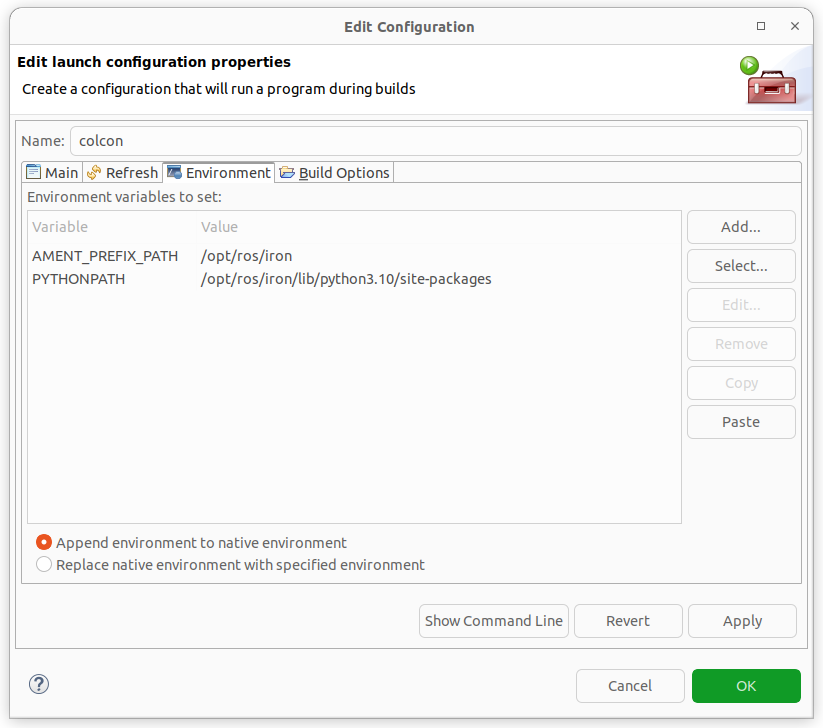
With PYTHONPATH you can also build python projects.
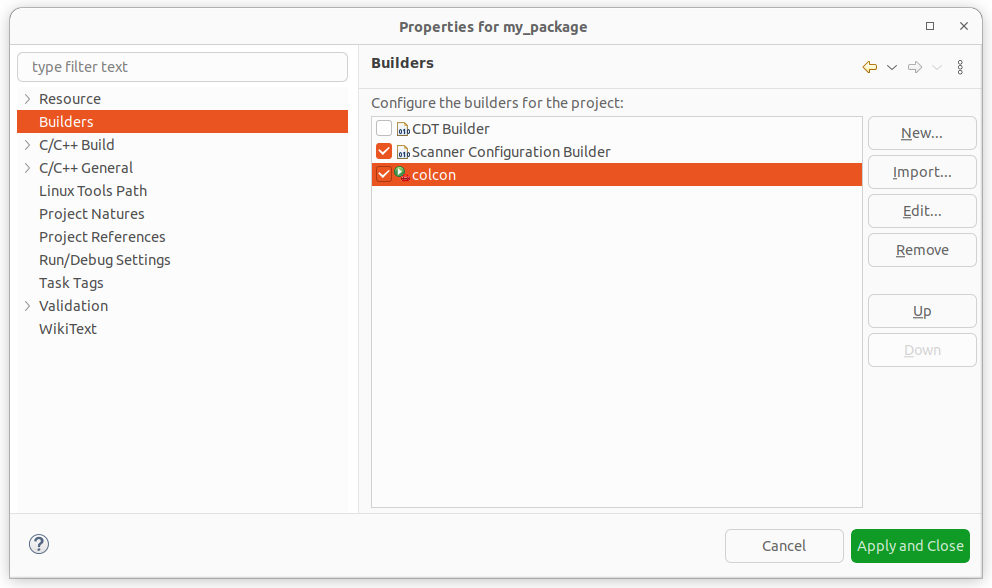
Right-click on the project and select “Build Project”.